
YafaRay Scenes for trueSpace7.61
YafaRay scenes translated to YafaRay4tS version 0.9.7
YafaRay4tS Info Page
Usage:
- load the scene file
- YafaRay4tS Scene Utilities will popup and have the default texture folder already selected
- press the "Process Imported Scene" button - click ok for the 5 popup alerts, this script will assign the texture files to the materials and reset the render path to your tS Image Folder
- now render should work
Modelspace Animation Process
- main 3d view to 1920 wide or less
- open model view
- open a new 3d camera view
- animation panel press Protect Workspace to open the corresponding panel
- may be necessary to keyframe the camera as an added level of protection
- press the Backup button and save the scene
- press the render animation toolbar button
- press the render animation button in the popup to start the render
Note that most of the sample scene textures are included in the YafaRay4tS installation and others are included with trueSpace installation. If not, download and save them to the textures folder
Jan 2020 scenes updated with new scene utilites node for YafaRay4tS v0.9.9
Scene Files

Texture Collection
Textures for the demo scenes. Most are already included in the YafaRay4tS installation.
download textures archive
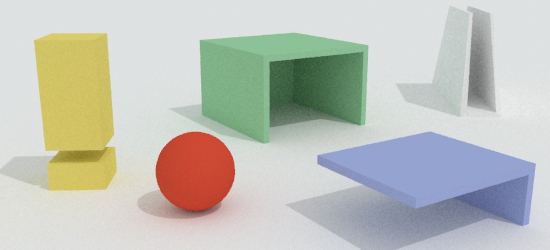
outdoors
Path tracing + Sunsky Skylight. Adjust the preview by setting the background scale to 500, press the Open Light Panel button then the Directional Sun Light button and increase the Size from 150 to about 300. press Background Light and increase the light distance to about 0.5
download scene
glossyasdiffuse
Photon mapping with glossy as diffuse setting, except the setting doesn't exist. This scene uses older versions of the materials.
download scene
glass2
Path tracing glass absorption. The preview will be dark because the materials have high glossy, high specular material. Reflective properties do not show in the 3d viewport.
download scene

alphaint_mapping02
Alpha intensity mapping. Select the camera and press Set Camera to assign it to the render. Uses the PST to save progress during the render. This can be seen with the optdetector viewer or by using windows explorer to see the image update as it renders.
download scene
ani_test1
Anisotropy sample. If using the background preview it will ask about a square image, it's ok to continue anyway.
download scene
backgroundTrick
Render from the Camera view and sample the rendered image color from the gradient ground horizon, (184,166,166). Set the background G. Horiz and Ground colors to match the sampled color. Render again and the ground will look infinite.
download scene


translucency
Translucency. Scene has pre-release versions of materials. Has ambient light.
download scene
transparency
transparency. Scene has pre-release versions of materials and old lights.
download scene
BlendMaterial scene
Demo of blend material using a procedural texture to blend between a wood tile material and a green glass material. Lights are standard trueSpace lights.
download scene

Modelspace deformed NURBS animation scene
Sample shows python script use to get animated NURBS shape into workspace.
download scene
Modelspace plus Workspace Animation
Modelspace particle system combined with workspace. The camera angle is incorrect in this scene. Adjust before rendering.
download scene
Original Blender files converted from yaftests.zip, user guide scenes recovered from the Internet Archive website. https://web.archive.org/web/20121010064719/http://static.yafaray.org/testscenes/yaftests.zip
go back to the trueSpace YafaRay page
June 12, 2018